For plumbing businesses
Plumbing invoice software that starts with the job.
A finished repair should come with a clear invoice. Service Zen connects client records, quotes, jobs and payments, so the office can follow the work from the first request to the outstanding balance.
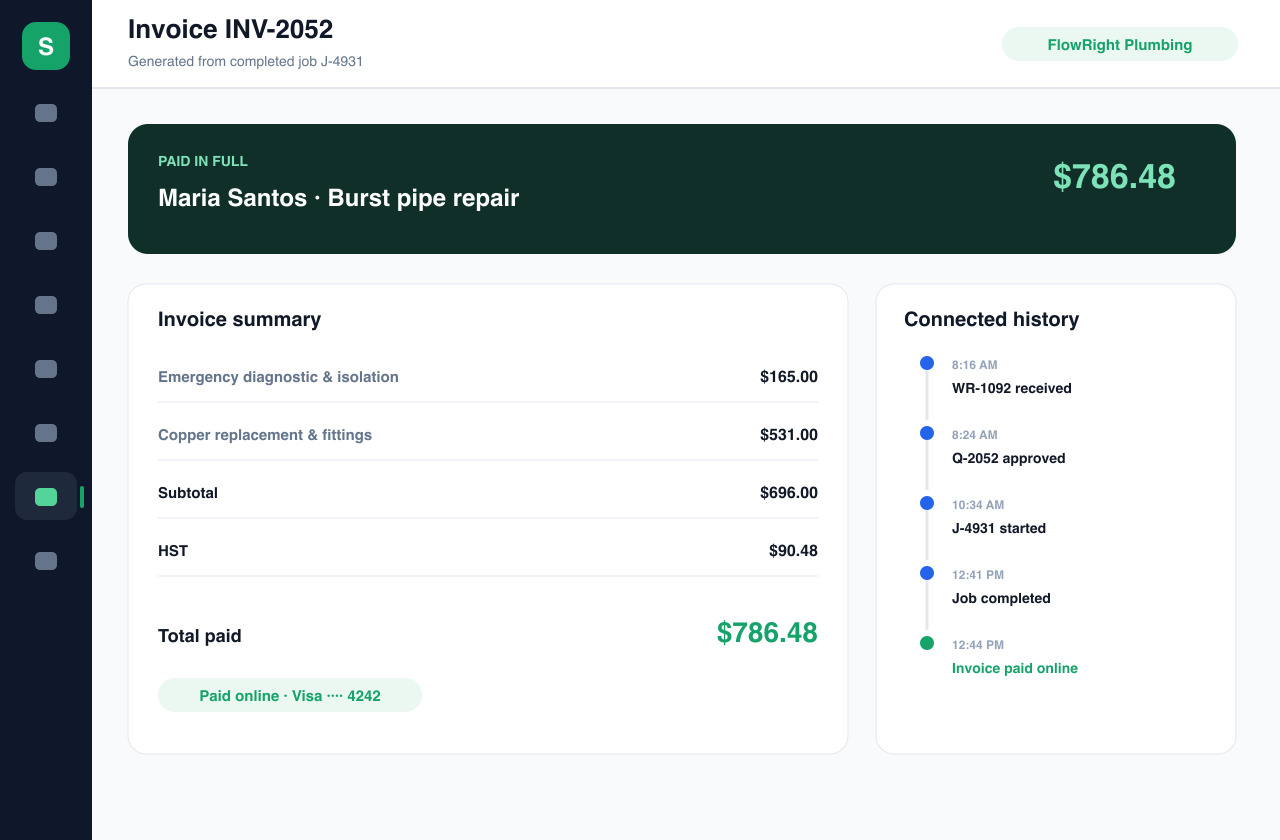
One connected workflow for callouts, repairs and installation work.
The everyday workflow
From a leaking tap to a clear, payable invoice
Capture the service request
Record the client, service address and reported issue before the visit. A kitchen leak and a water-heater replacement need different scopes; keeping those details with the request gives the office and technician the same starting point.
Agree on the work
Create a quote with the proposed labour and materials, then send it for client approval. Describe the diagnostic visit separately from additional repair work so the client can understand what they are agreeing to before you schedule the job.
Invoice the completed job
Generate the invoice from the job and review the line items against the work performed. Use specific descriptions for callout charges, labour, replacement parts and other agreed costs. Check quantities, amounts, applicable tax settings and the due date before sending.
Follow the payment
Track invoice and payment status from the same workspace. With Stripe Connect configured, clients can pay online. Review outstanding invoices and use the available reminder workflow so follow-up refers to a specific invoice and amount owed.
Built around your work
Keep the explanation beside the amount
Write invoices a client can understand
“Plumbing work” leaves too much to interpretation. A useful line item describes the task, such as replacing a basin trap, and separates labour from materials when appropriate. Service Zen provides invoice line items and notes so your team can make those distinctions without starting a new document for every visit.
Keep repeat visits in context
A returning client may have an earlier quote, a completed repair and an unpaid invoice. The CRM brings client activity together, helping the office review that history before arranging another visit. Keep the current scope explicit; a new repair should not be confused with the previous job.
Connect invoicing with the rest of the business
For a plumbing company, billing is part of the service workflow. Service Zen also includes scheduling, team assignments and client management. Start with the request-to-invoice flow in a demo, then check the plan and payment configuration needed for your business before moving live billing into the platform.
A few useful answers
Before you get started.
Can I create a plumbing invoice from a job?
Yes. Service Zen supports creating invoices from jobs within its connected request, quote and job workflow. Review the completed scope and amounts before sending the invoice to the client.
Can clients pay a plumbing invoice online?
Online invoice payments use Stripe Connect. Your business needs to complete its payment setup before collecting payments. Review the current plan, processor requirements and applicable fees when choosing your configuration.
Can I show labour and materials separately?
Yes. Use individual line items with descriptions, quantities and prices to explain the bill. This is useful when a service call includes diagnosis, replacement parts and installation labour.
See how it fits your business.
Explore the demo, then compare the current plans.